Managing your projects should not be a task. We make the process simple and fast for experts and novices alike.
Gantt (CPM) Scheduling & Daily Logs to name just a few power packed features. We track and tie together Permits and Inspections


“This software packs more punch than you would expect at its meager price point. It offers so much in the way of construction management that it is almost unbelievable.”
Lindsey-Leigh M. (JWH Construction Services, Inc)Switched from RAKEN
Projects
Manage your projects – do not let them manage you
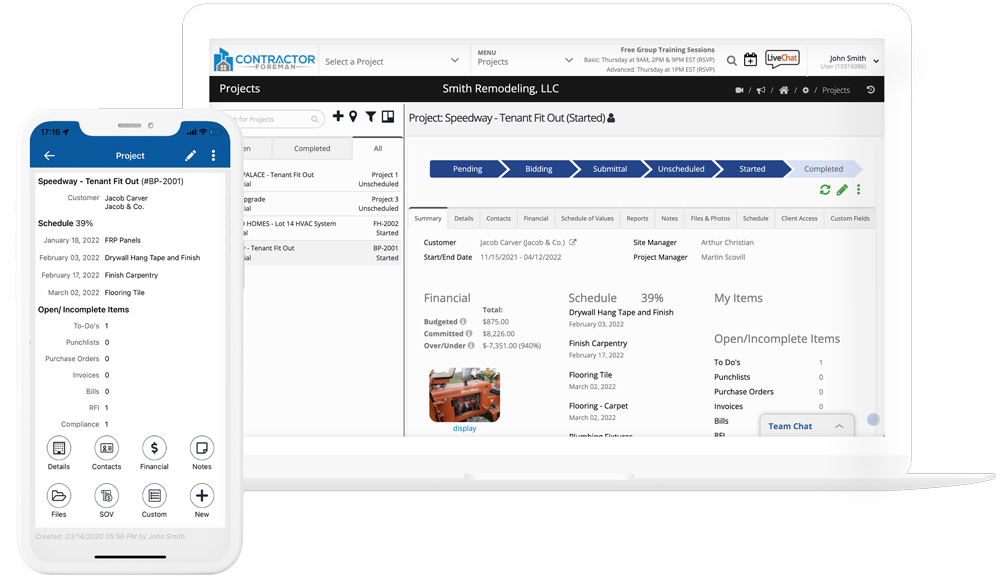
Other companies make big bucks by charging you for each Project. Not Contractor Foreman. 1 project or 1000, we are still the most affordable option. See all of your project details and finances all in one place. Are you on track or running behind? Is trim work taking more time than expected? Job costing reports help you keep your projects on track.
Real-Time Collaboration
Always updated – never outdated
There is nothing to “sync”. Changes made in the field or in the office are made in real time. You are always working with the latest data. Need the “latest” plans – go in and grab ’em.
Procurement
Let Contractor Foreman create your PO’s and subcontracts for you!
Using bid packages, the systems will write all your PO’s & Sub-Contracts for you. Or import those items from your estimate. No more double entry.
Schedule of Values
Invoicing customized to meet the needs of you and your clients
Your Schedule of Values is a baseline breaking down the details of how your clients will be billed. Everybody is now on the same page.
Financial Tracking
Financials from anywhere
Just because you are on vacation at the beach doesn’t mean that you are not thinking about the financials. You no longer need to be in the office or wade through a lot of reports or screens to get a grasp on your project financials. It’s all in one place making it easy to stay on track of your income and expenses.
Custom Fields
Track the data that is important to you
Every company has different needs and our custom fields allow you to track the data that matters most to you. No longer are you limited to tracking on the data that other companies think you need.
Client Portal
Keep your clients informed – every step of the way
Construction projects are exciting and clients want to know what’s going on. Keep them updated automatically without the need to manually send emails or text messages multiple times a day. As the project manager, you decide which types of items and details are shared. Your clients can login and approve an estimate, generate a change order, respond to RFI’s or Submittals, and pay their invoice.
Project Tracking
Project tracking made easy
Track your projects from start to finish, advancing them from one status to the next. No more guessing about the status of the project or asking “what else is left”. Using the Schedule, you’ll know the percent complete for the project as a whole as well as the individual tasks.
Job Costing
Know where you money is (and where it went)
Proper job costing is a must for any successful contractor. Our job costing reports make it easy for you to see your Committed and Actuals and to see if things are getting off track.
Field Collaboration
Stay on the same page
With real time updates, your crew is always on the same page. Eliminate confusion, outdated documents, and other common problems. No more calls back to the office asking for the latest files or documents – you have it all on your phone.
Project Based Permissions
Project based permissions
You may want some employees to have access to all projects and then you may have some employees that only need access to certain projects. This isn’t a problem using the Assigned Project feature.
Kanban Views and Filters
Views and filters to keep the ball rolling
No longer will tasks get delayed because you didn’t notice it. Our Kanban view sorts your items by columns based on status so that you can instantly see the items that are waiting on you and items waiting on others. Prefer a list view instead? We have that too. Only want to see certain types of items? Apply custom filters so that you see what matters most. Best of all, when you apply a filter, it stays in place – no more having to apply the filter every time you revisit the page.
Opportunities
Who are you getting work from and who’s shopping your bid.
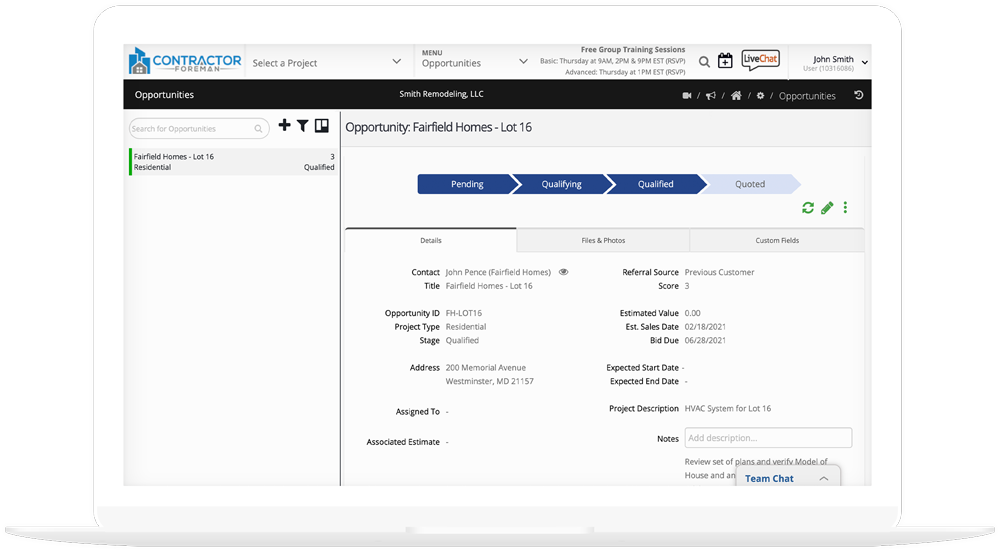
Some systems give you a few fields for basic details. We realize that Opportunities can carry with them a lot of notes, photos, RFI’s, and many other documents. Even though it isn’t a “Project” yet, that doesn’t mean that we can give it the same treatment as we would with a project. Set up Opportunities for your bids to track results. Turn it into an estimate or project with a single click.
Critical Date Tracking
Job Distinction
Opportunities by Project Type
Custom Fields
Kanban Views & Filters
Daily Logs
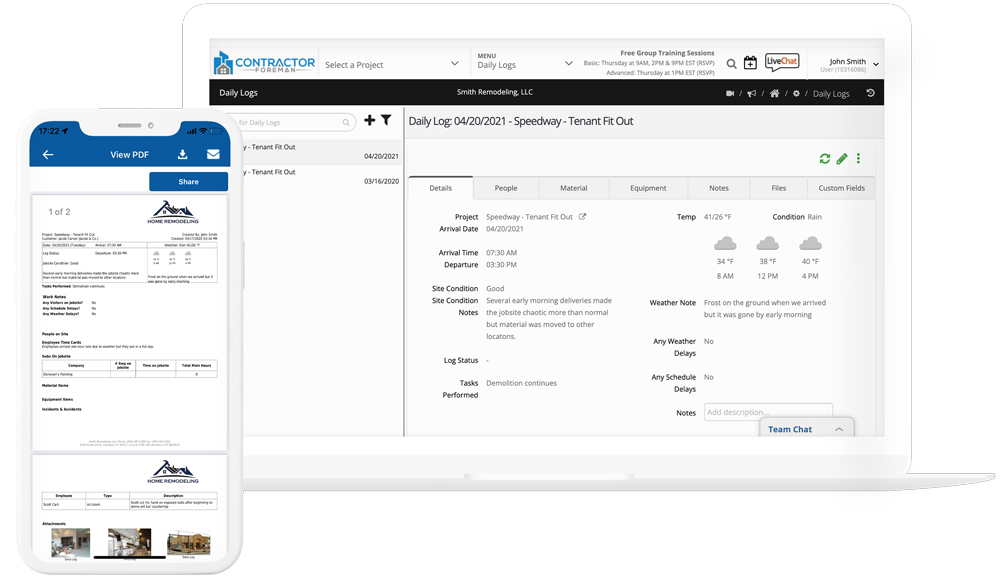
Rich job details keeps everyone informed
Who did what when and why? We’ve got you covered. Full Daily Logs keep you safe and up to date. Weather, visitors, safety, productivity, materials used and more are all are covered in your Daily Logs. Our Forms and Checklists lets you create the forms you need, lock out tag out, project closeout, whatever, create what you need.
Custom Fields
Complete Project Records
Subs & People on Jobsite
Weather Tracking
Material and Equipment Used
Material and Equipment Delivered
Scheduling
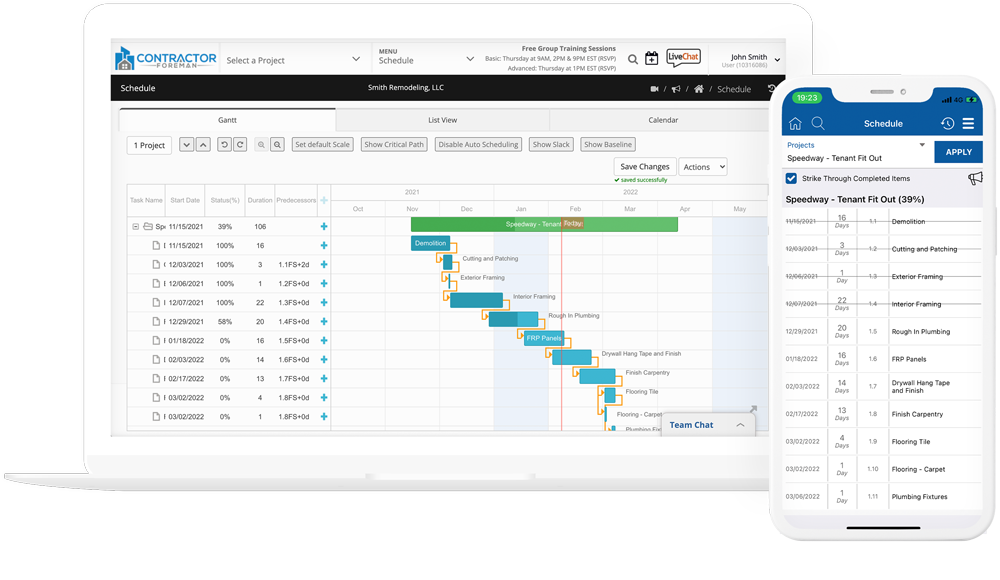
Finally – An easy to use Gantt chart project scheduler
Yea, we all know time is money. But spending hundreds of dollars per year for CPM Gantt charts is a thing of the past. Join the now, CPM is included and its free.
Non-working Days
Baseline tracking
Gantt Charts
Percent Complete Tracking
Critical Path Method
MS Project Integration
Tasks Notices
Month and List Views
Project Schedule Templates
Work Orders
Perfect for small projects
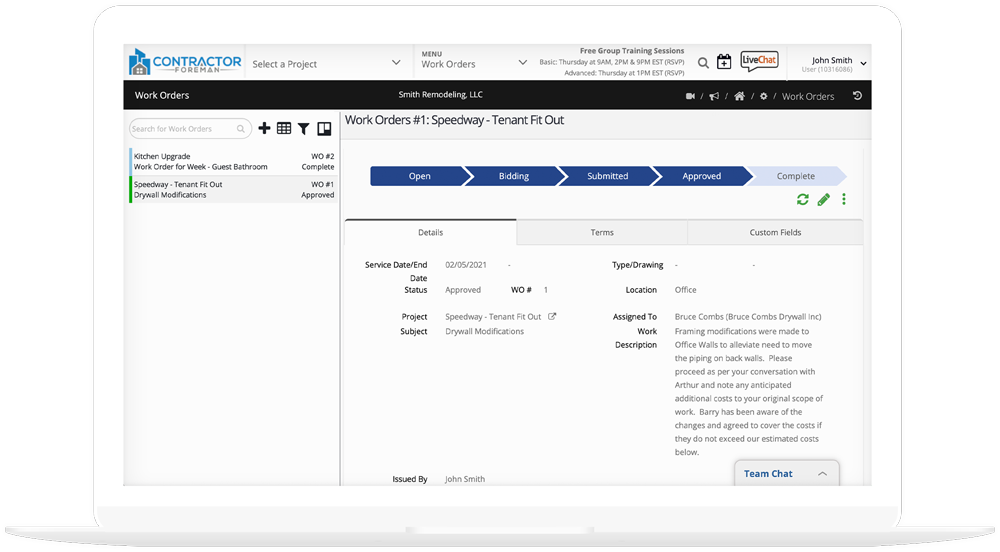
Giving you the flexibility you need to work smart. Built with the flexibility to work for you not against you. Clients, Employees, Owners, they all love our work orders.
Electronic Approvals and Signatures
Complete with Start and end Dates
Invoice Straight from the Work Order
Assign Who’s Responsible
Custom Fields
Kanban Views and Filters
Inspections
Ties your Building Inspection to the Permits or use for Internal QC
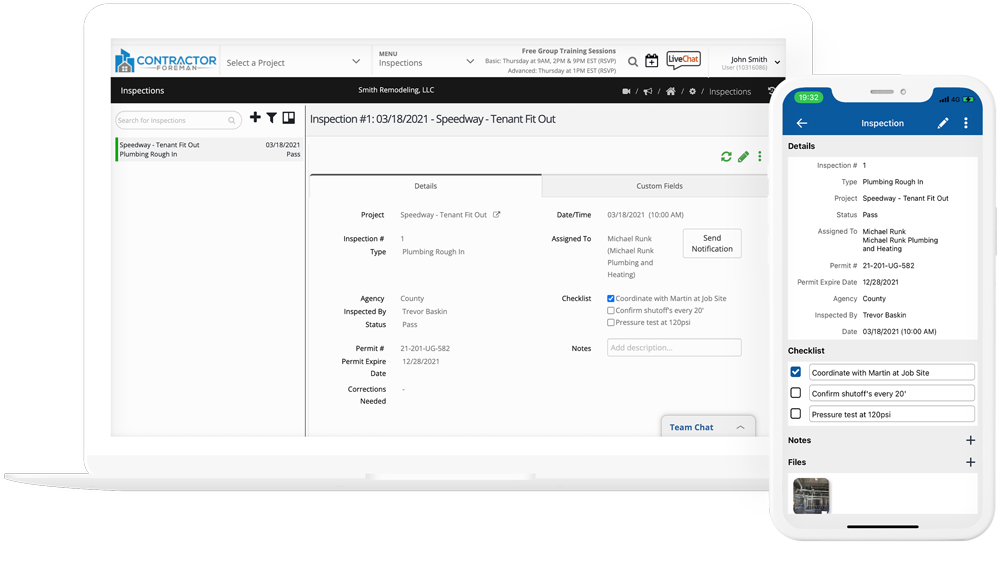
Go ahead, inspect it. Stay ahead of the game with Inspection statuses, revisions needed. Inspections and Permits are tied together to create a seamless package. If a re-inspection is needed simply click copy and you have a new Inspection record.
Custom Fields
Kanban Views and Filters
Inspection Tracking
Inspection Details
Re-Inspect
Inspection Document Tracking
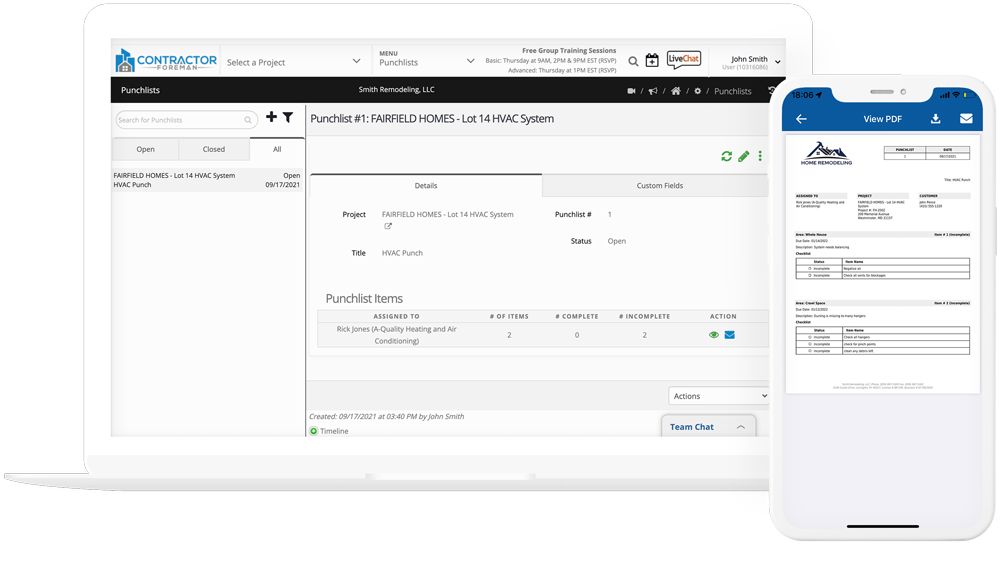
Punchlists
Save time and close out jobs faster with our Punchlist Module
Ahhhh, the beauty of a well designed punch list is just moments away for you and your team. Email responsible parties, track outstanding items, add and share marked up photos. This is going to shave hours off your day.
Custom Fields
Kanban Views and Filters
Permit Manager
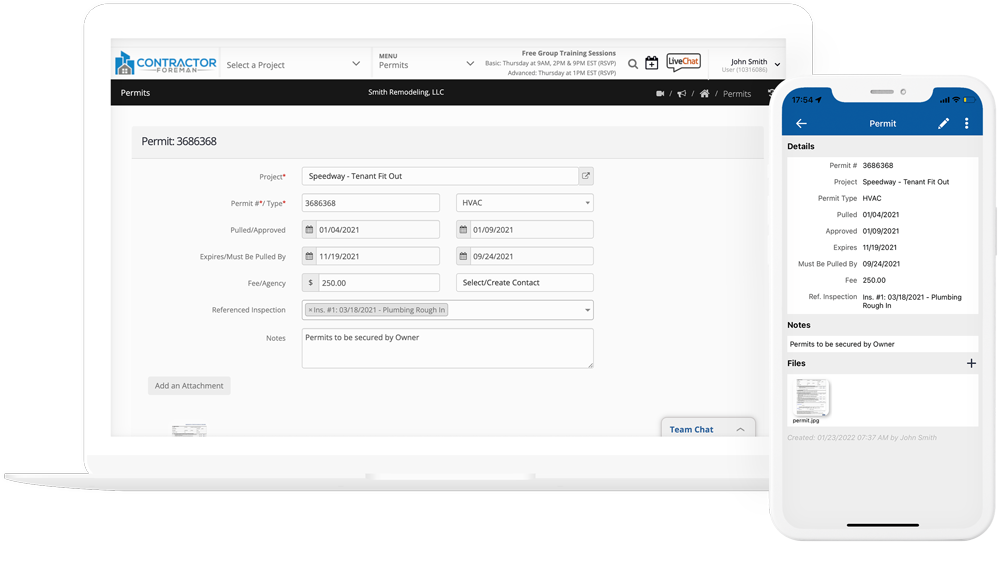
Log and tracks permit status, cost etc.
Track your inspections against your permits for proper paper trail. Tacks costs as well as pull by dates and other pertinent dates.
Custom Fields
Kanban Views and Filters
Service Tickets
Service Work or Warranty Work
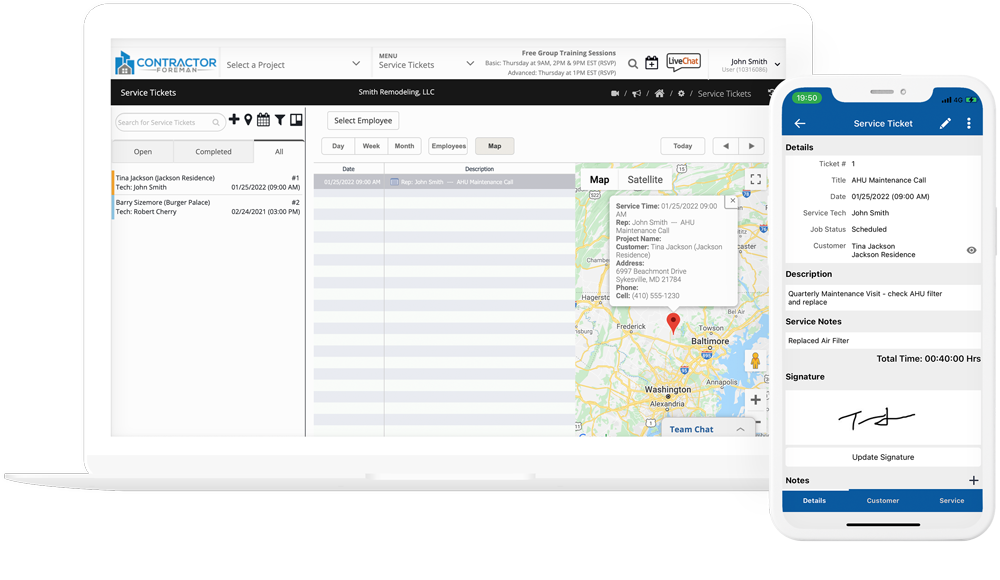
Service dispatch done, Client history done, Service Ticket time tracking done. What you have been needing to manage Service work… Done!!
Custom Fields
Kanban Views and Filters
Dispatch and Mapping
Service Reminders
Service Ticket Check In/Out
In-App Signatures
Next Appointment Scheduling
Work and Service History
Client Portal
Keep your clients informed – every step of the way
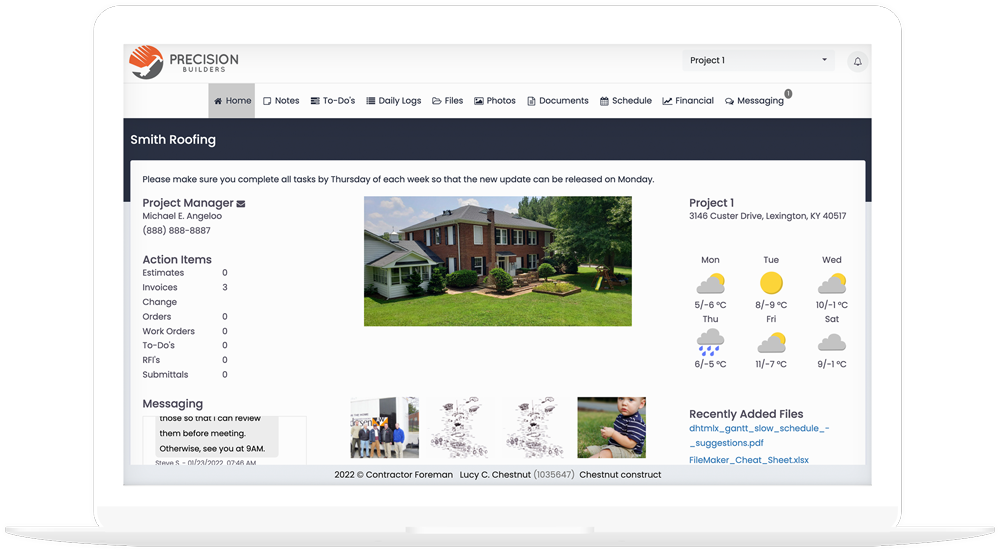
Construction projects are exciting and clients want to know what’s going on. Keep them updated automatically without the need to manually send emails or text messages multiple times a day. As the project manager, you decide which types of items and details are shared. Your clients can login and approve an estimate, generate a change order, respond to RFI’s or Submittals, and pay their invoice.
Pay Online
Multi-Project Login
Project Schedule
Financial Summary
Notes
To-Do’s
Daily Logs
Customize Clients Access
File Viewing & Upload
Photo Gallery
RFI & Submittals
Client Chat
Easy File Sharing
Action Items for Prompt Attention
Electronic Approvals and Signatures
Estimate, Electronic CO Approvals, and CO Request
To-Do’s
Keep the ball rolling
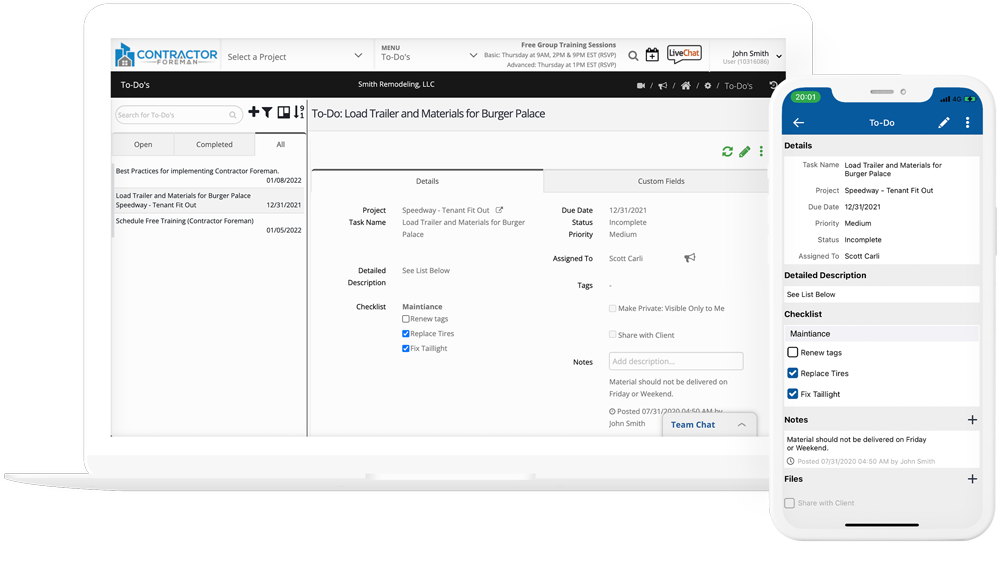
To Do’s are a great way to let your client know what is required from them. They can easily check the item once the task has been completed.
Kanban Views and Filters
Task Management
Custom Fields